I built a news aggregator a few months ago that I use regularly. I thought it’d be fun to implement the FoundationModels API in a few areas.
Related Articles
Prior to FoundationModels I used NLContextualEmbedding from iOS26 to determine if news stories have a relationship with other stories. This isn’t reliable. The embeddings are based on wording and “bank” can also match “river”. You need intelligence to understand that the central bank is not related to a river bank. I decided to explore using an LLM prompt to help replace algorithmic filtering.
Embeddings do the initial vector work of finding related articles to the source, and I add a second layer of LLM reasoning to further filter out unrelated articles. I went with a combo because using an LLM to review 5 related articles is faster than, using it to review 600. It works really well.
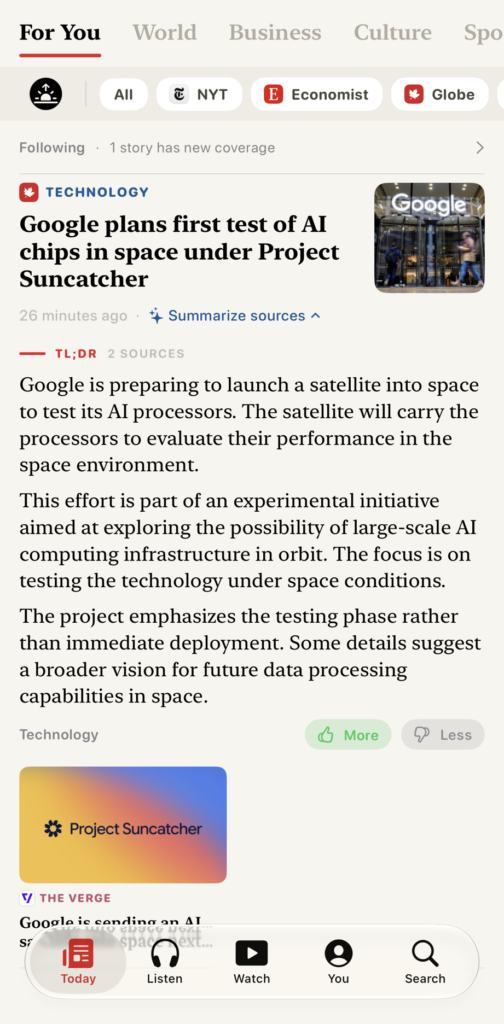
The embeddings get close to the correct answer, and the LLM does the final pass. Articles that do not match the article subject get removed. This would not have been possible algorithmically without serious code. While, I wouldn’t leverage LLMs to make app decisions on the regular, in this context it was helpful. Also something cool is that I asked the LLM to compare the two articles and surface a point of differentiation between the articles which is hard to do with algorithms.
Article Summary
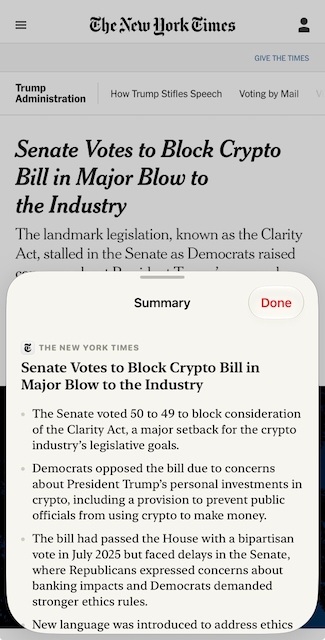
I wanted to use FoundationalModels to summarize my articles. So I pass the article contents to the model and ask it to summarize the text. The cool thing is that you have the ability to setup the LLM to stream out its answer. We’ve all seen this where the LLMs will print out text as it thinks. As each bullet is being reasoned by the LLM and the article is being processed, you see the text come out. Similar to getting a response from Claude or Gemini – very cool.
Daily Briefing
A news briefing notification is delivered in the morning. Upon tapping it, the app performs an initial fetch for fresh articles and then a ranking happens by interest. All are fed through the LLM with the prompt:
You choose the stories for a reader’s morning news briefing, most important first.
Judge each story first by how much it matters: how many people it affects, and whether something actually happened rather than being announced, previewed or described. A death toll, a disaster, an election result, a court ruling, a policy change or a market move outranks a product or release announcement, a schedule or preview, a trend or lifestyle feature, a routine result and a profile. Only where two stories matter about equally, prefer the one closer to the reader’s listed interests.
Reply with every story number in your chosen order, separated by commas. Include each number exactly once. Output nothing else.
The output is then summarized through another briefing LLM pass that streams out the article summary for the briefing.
You write one paragraph of a reader’s morning news briefing, from a single story block giving a publication, a headline and the story’s text. Rules:
- Two or three sentences. Say what happened, and stop.
- Use only facts explicitly present in the block. Never add names, numbers, dates or events that are not written in it.
- Write in your own words. Do not copy sentences out of the block and do not continue by quoting the rest of it.
- Plain, neutral prose. No headline, no heading, no bullet list, no greeting, no sign-off, and no citation markers — the citation is added for you.
- A block marked “(summary only)” is an article you are reading the teaser of, not an absence. Report what it says.
- The block may end with “Also covered by:” and another outlet’s own words. Where that framing genuinely differs, say so in a clause and name the outlet; where it agrees, say nothing about it.
- If the block is a shopping deal, a discount, a product recommendation or a buying guide rather than reporting, reply with the single word SKIP and nothing else.
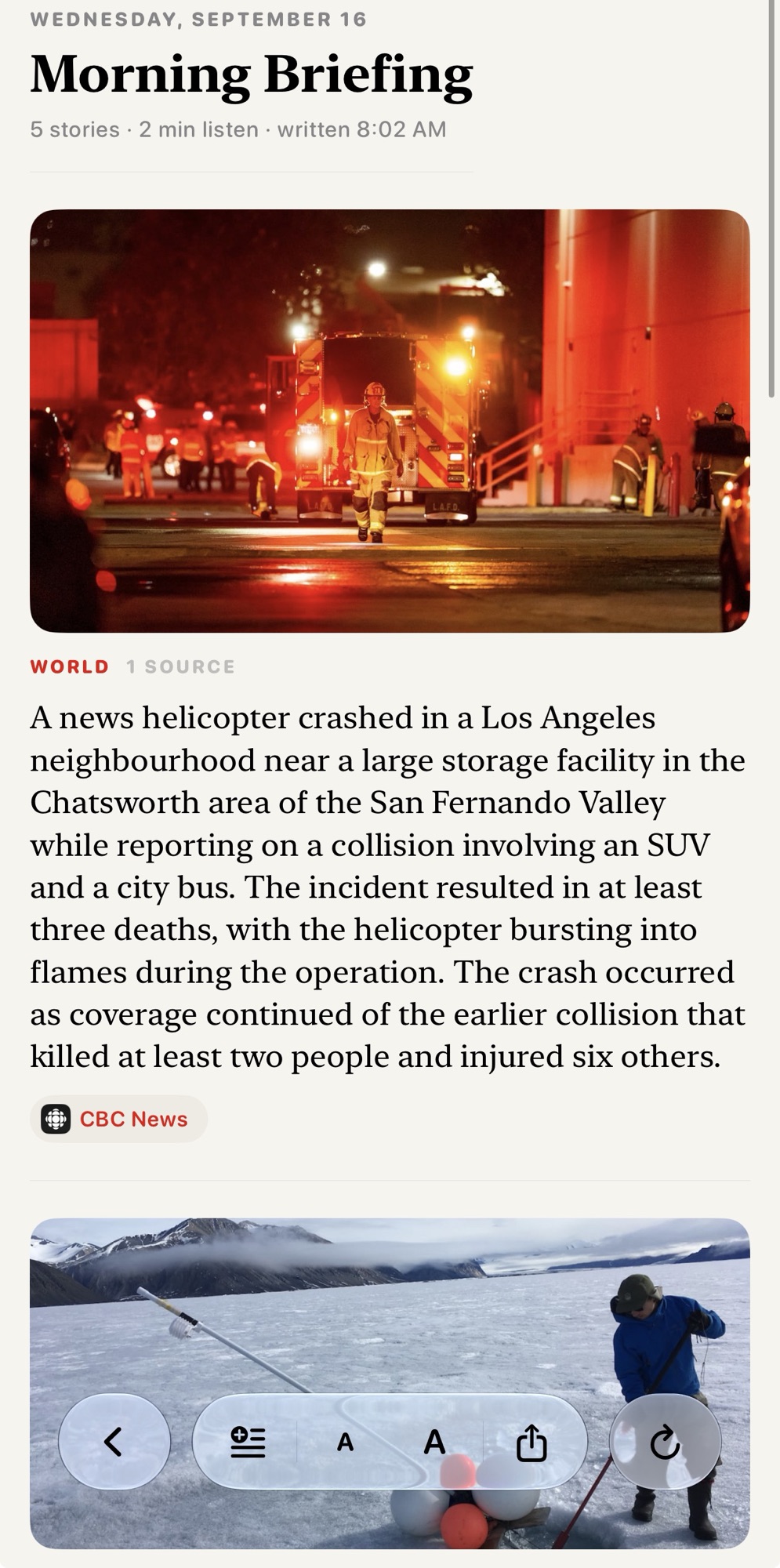
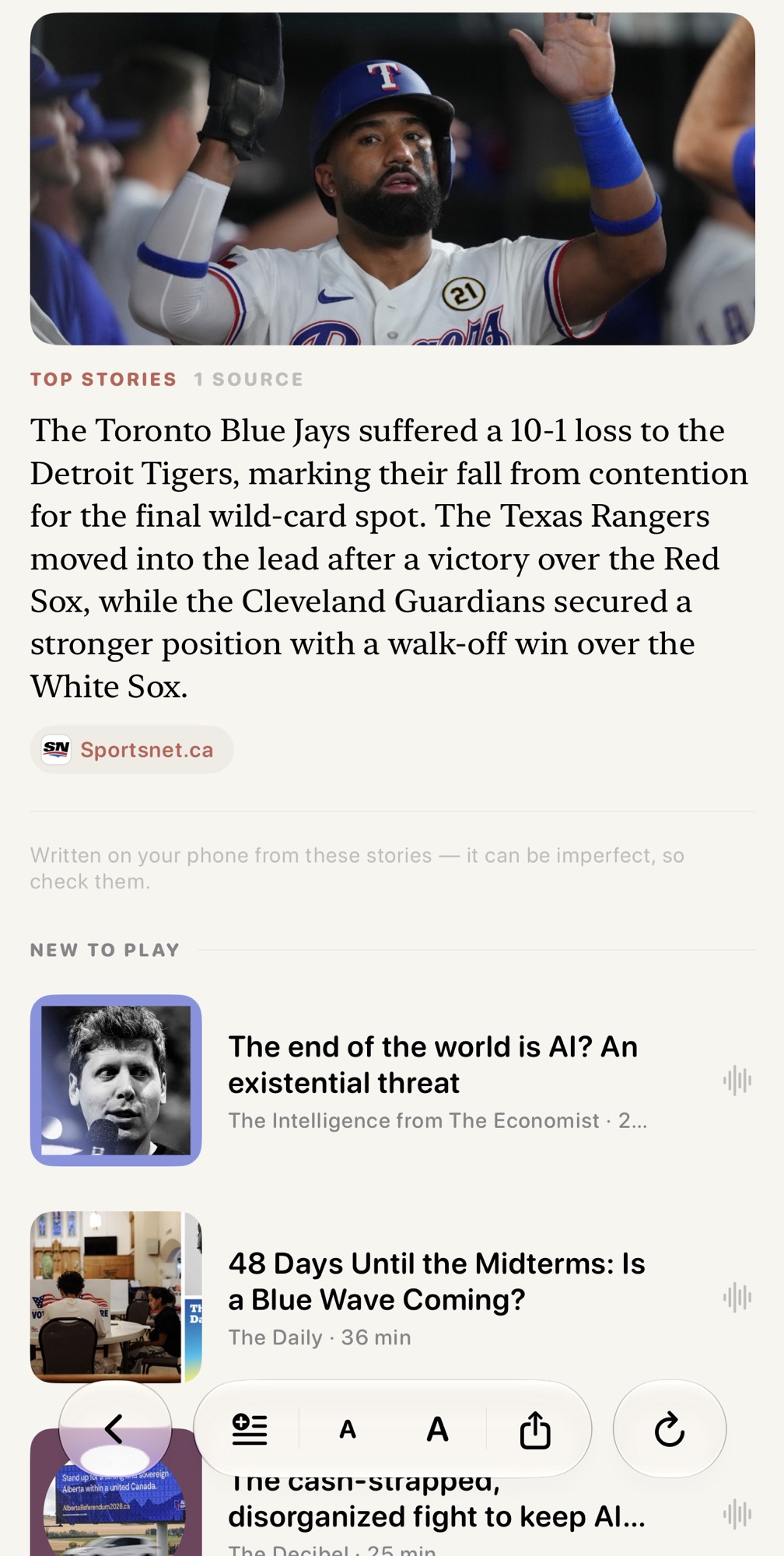
The brief is then a selection of key articles in combination with articles summarized by the model. Originally I fed all articles into one prompt and asked it to summarize hoping to one shot it, but the model failed often and started to duplicate content or get lost with separating stories. I now feed each article individually into the summarize prompt and it works great. Mostly. You can see the tail end of the prompt has the SKIP instructions because stray non articles pass the Embeddings filter.
Hero Selection
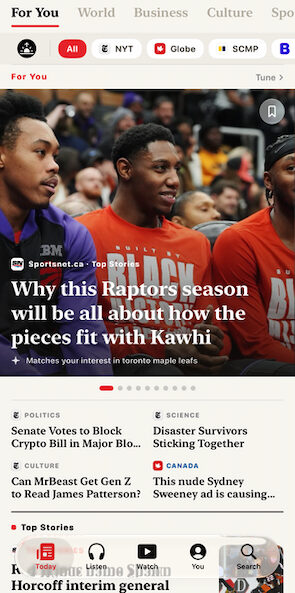
I have a giant hero in my news app. similar to other news apps, it surfaces stories that I would be interested in without having to scroll through all the articles. In iOS 26, I was using the natural language embeddings to surface specific interests that I had. The closer the embeddings were to the interests, the more likely they would be surfaced within the hero. The problem I had was that the hero would be ordered strangely. The embeddings weren’t smart enough to understand the interest order.
I decided to use the LLM to analyze the set of 10 articles, along with my interest ranking and ask it to order the articles. Again, this solution worked very well. What would have required a lot of code was solved with a simple prompt. I designed it so the app was not held back by the model analysis, which can take a few seconds. Once the model was done, it would reorder the hero lazily.
Search with AI
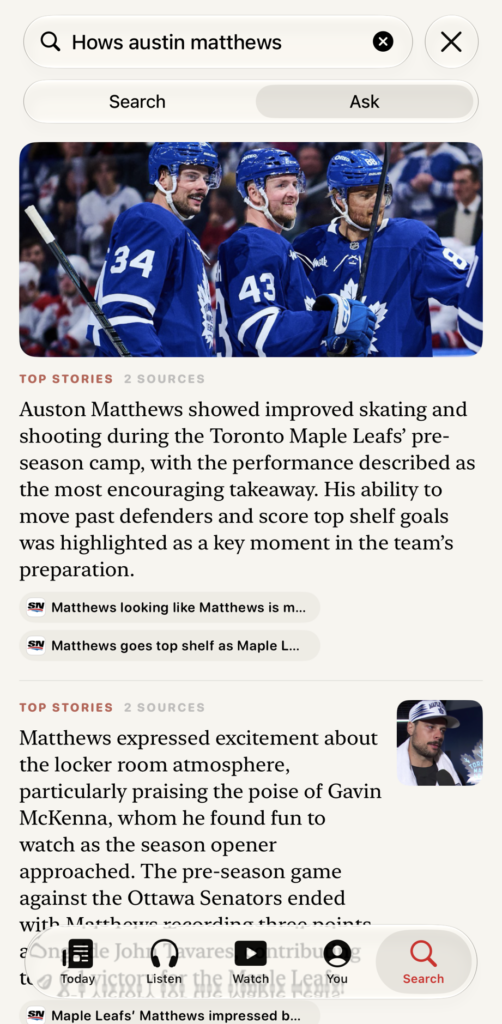
Another change I adapted was to use foundation models to surface articles based on a query. So instead of a search that was a semantic search where it was based on keywords match to article titles, I would use AI to both search across all articles where it understands the context of my search query, pull up the top articles, and also summarize them all at once. I could ask questions that would reason over results.
To close off, this was a fun project and it made my app better. Wouldn’t be possible without the on-device LLMs so very happy to see the benefits of models come down to edge devices. Given we are still in the first generation of edge models I can only imagine the next few years of optimization bringing more value.
Leave a Reply