I haven’t written about Jev. I had too much going on this month. But the AI world was going nuts about it because it was a type safe way to leverage AI in code. Unstructured in, structured out.
Last month, I wrote about my FoundationModels in iOS27 explorations where I used an on-device LLM to make decisions on code. I was amazed at how complex algorithmic instructions could be done with a simple prompt, and then used to direct my application logic. The problem was that comparing deterministic algorithms with LLM reasoning is no contest. I knew it would be slow and had to restrict where I would use this type of decision making.
Jev changed all that last month where models came out that were trained to act fast and make decisions. Suddenly integrating an LLM into code was no longer a liability.
OpenAI noticed. And today, released Decisions API. The video below shows its use in code, with the video game steering demo being most interesting to me because it highlights the quickness and accuracy of the LLM to code decision making. But wait, this is not text, this is also multi-model as it can process images and act on it… within 150ms! “ms”!
While it isn’t coding fast, it is way faster than your typical frontier model response of multiple seconds. Which makes integrating LLM into code a viable option. Coding has changed more this past 12 months than it has in 10 years.
I built a news aggregator a few months ago that I use regularly. I thought it’d be fun to implement the FoundationModels API in a few areas.
Related Articles
Prior to FoundationModels I used NLContextualEmbedding from iOS26 to determine if news stories have a relationship with other stories. This isn’t reliable. The embeddings are based on wording and “bank” can also match “river”. You need intelligence to understand that the central bank is not related to a river bank. I decided to explore using an LLM prompt to help replace algorithmic filtering.
Embeddings do the initial vector work of finding related articles to the source, and I add a second layer of LLM reasoning to further filter out unrelated articles. I went with a combo because using an LLM to review 5 related articles is faster than, using it to review 600. It works really well.
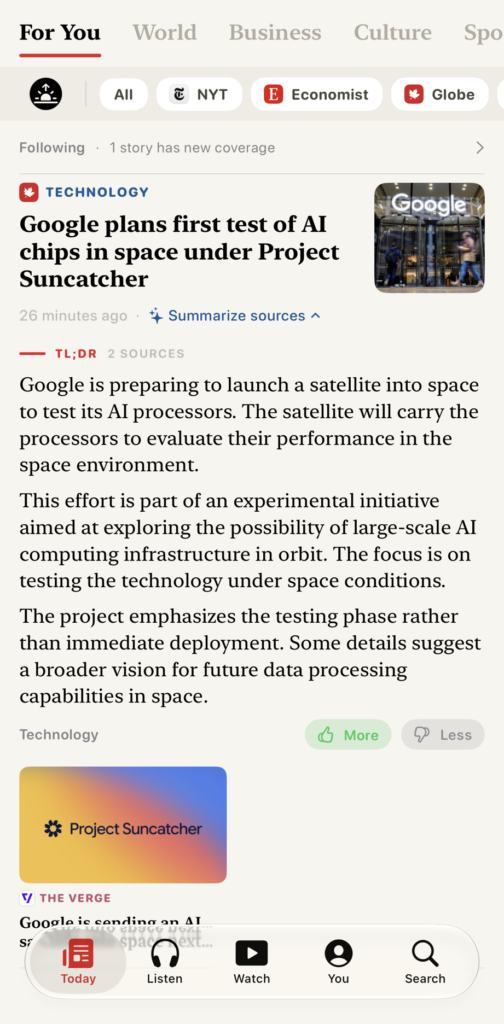
The same story across two sources. With summary across both.
The embeddings get close to the correct answer, and the LLM does the final pass. Articles that do not match the article subject get removed. This would not have been possible algorithmically without serious code. While, I wouldn’t leverage LLMs to make app decisions on the regular, in this context it was helpful. Also something cool is that I asked the LLM to compare the two articles and surface a point of differentiation between the articles which is hard to do with algorithms.
Article Summary
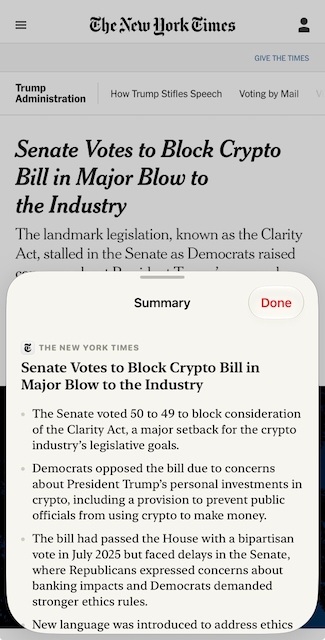
I wanted to use FoundationalModels to summarize my articles. So I pass the article contents to the model and ask it to summarize the text. The cool thing is that you have the ability to setup the LLM to stream out its answer. We’ve all seen this where the LLMs will print out text as it thinks. As each bullet is being reasoned by the LLM and the article is being processed, you see the text come out. Similar to getting a response from Claude or Gemini – very cool.
LLM article summary feature
Daily Briefing
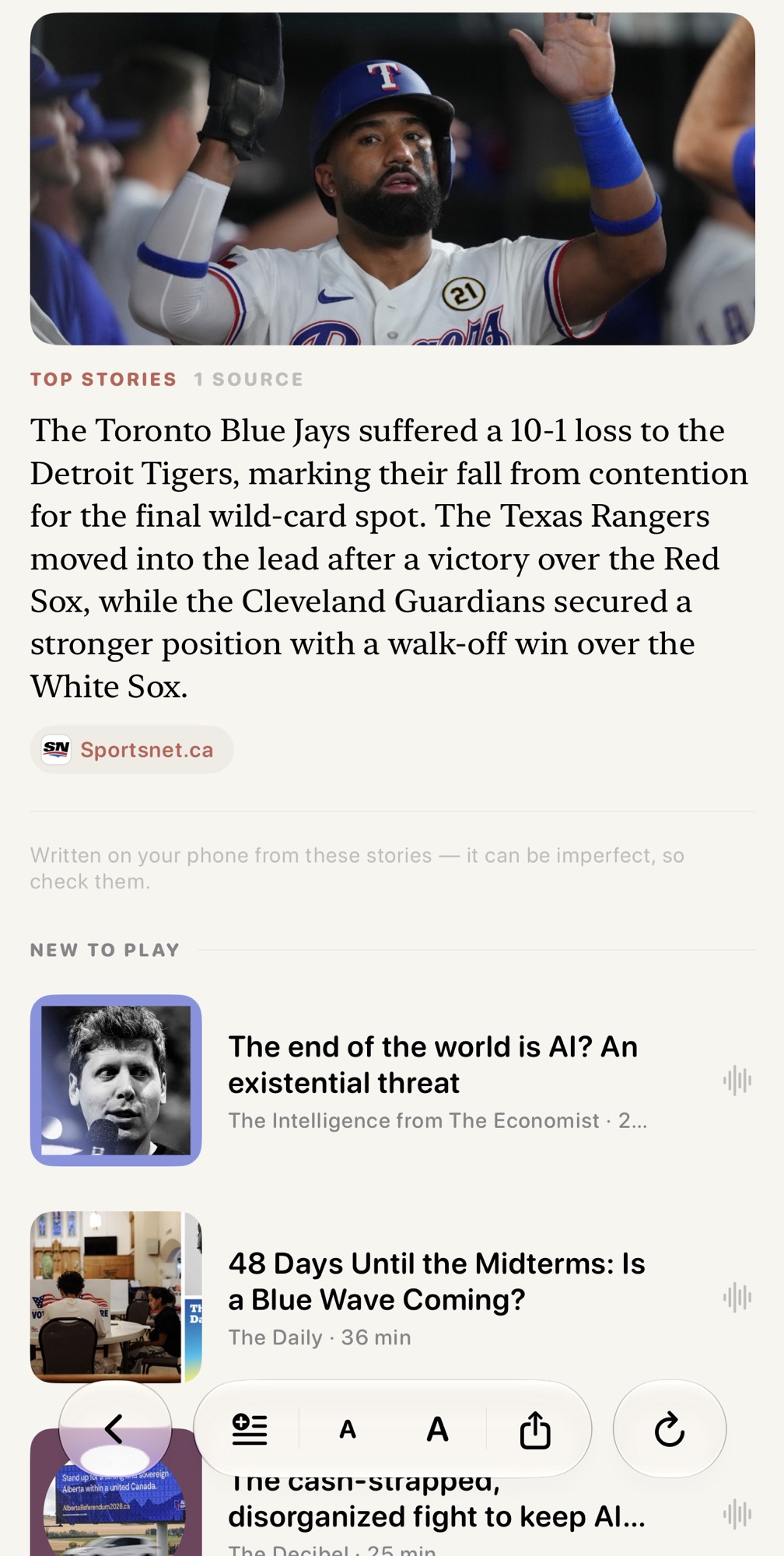
A news briefing notification is delivered in the morning. Upon tapping it, the app performs an initial fetch for fresh articles and then a ranking happens by interest. All are fed through the LLM with the prompt:
You choose the stories for a reader’s morning news briefing, most important first.
Judge each story first by how much it matters: how many people it affects, and whether something actually happened rather than being announced, previewed or described. A death toll, a disaster, an election result, a court ruling, a policy change or a market move outranks a product or release announcement, a schedule or preview, a trend or lifestyle feature, a routine result and a profile. Only where two stories matter about equally, prefer the one closer to the reader’s listed interests.
Reply with every story number in your chosen order, separated by commas. Include each number exactly once. Output nothing else.
The output is then summarized through another briefing LLM pass that streams out the article summary for the briefing.
You write one paragraph of a reader’s morning news briefing, from a single story block giving a publication, a headline and the story’s text. Rules:
Two or three sentences. Say what happened, and stop.
Use only facts explicitly present in the block. Never add names, numbers, dates or events that are not written in it.
Write in your own words. Do not copy sentences out of the block and do not continue by quoting the rest of it.
Plain, neutral prose. No headline, no heading, no bullet list, no greeting, no sign-off, and no citation markers — the citation is added for you.
A block marked “(summary only)” is an article you are reading the teaser of, not an absence. Report what it says.
The block may end with “Also covered by:” and another outlet’s own words. Where that framing genuinely differs, say so in a clause and name the outlet; where it agrees, say nothing about it.
If the block is a shopping deal, a discount, a product recommendation or a buying guide rather than reporting, reply with the single word SKIP and nothing else.
The brief is then a selection of key articles in combination with articles summarized by the model. Originally I fed all articles into one prompt and asked it to summarize hoping to one shot it, but the model failed often and started to duplicate content or get lost with separating stories. I now feed each article individually into the summarize prompt and it works great. Mostly. You can see the tail end of the prompt has the SKIP instructions because stray non articles pass the Embeddings filter.
Hero Selection
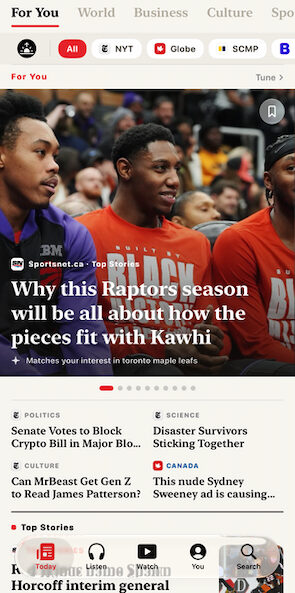
I have a giant hero in my news app. similar to other news apps, it surfaces stories that I would be interested in without having to scroll through all the articles. In iOS 26, I was using the natural language embeddings to surface specific interests that I had. The closer the embeddings were to the interests, the more likely they would be surfaced within the hero. The problem I had was that the hero would be ordered strangely. The embeddings weren’t smart enough to understand the interest order.
I decided to use the LLM to analyze the set of 10 articles, along with my interest ranking and ask it to order the articles. Again, this solution worked very well. What would have required a lot of code was solved with a simple prompt. I designed it so the app was not held back by the model analysis, which can take a few seconds. Once the model was done, it would reorder the hero lazily.
Hero block ordering using model intelligence to reorder by my interests.
Search with AI
Another change I adapted was to use foundation models to surface articles based on a query. So instead of a search that was a semantic search where it was based on keywords match to article titles, I would use AI to both search across all articles where it understands the context of my search query, pull up the top articles, and also summarize them all at once. I could ask questions that would reason over results.
To close off, this was a fun project and it made my app better. Wouldn’t be possible without the on-device LLMs so very happy to see the benefits of models come down to edge devices. Given we are still in the first generation of edge models I can only imagine the next few years of optimization bringing more value.
Cowork can now be steered and accessed on mobile. Previously, cowork ran on a local OS container, with no remote access. That said, Anthropic has done a terrible job explaining how this all works.
Here’s a top ten list of my experience.
Any projects that you were using for cowork will not migrate over to cloud if they already access local files on disk. There is no obvious migration tool to make it work via cloud.
I found the best way to migrate was to create a new project in cowork, and then add the same local folder.
You’ll see this in your cowork projects list. There is a drop down for configuring the project to run in the cloud and it is disabled for existing projects involving folder access.
By creating a new project, it gives Claude the ability to re-establish the permissions it needs access a local folder + run in the new cloud format.
If you are working on a local cowork project, your conversations will not sync over to mobile. It is the most confusing part of this whole roll-out. Some conversations sync, others do not.
The easiest way to know if your cowork is working in the cloud, is that there is a little icon on the top left that shows a cloud icon. Same concept as Claude code. If you see a cloud, Claude is working from a cloud container. If you see a computer, Claude is local to your desktop.
The benefit of working in cowork mobile is that you can leverage your MCP connectors and local folders you’ve approved, and start a new task away from your computer. This is different from Claude Chat because while chat has some connectors, it is not MCP level and cannot work with files.
Claude cowork cloud very slow. Like, sssssssllllllooooooowww. I had cowork local tasks running snappy and when I moved them cloud-native, it got rough. Part of this is that managing files across MCP connectors is brutal. If you are familiar with using local CLI based connectors like google workspace-CLI where Claude Cowork could directly call a CLI, you can’t do that in a cloud container. You are reliant on the cloud container having access to the MCP connectors you’ve pre-configured. And that means MCP inefficiencies.
Part of the benefit of running cowork was direct file access and manipulation. File access is easy because Cowork would just pull the file into the mount path of its local container. In this remote cloud paradigm, that is no longer as easy. I did a test to move my folder into Google Drive, thinking it could replicate my local folder structure on disk. I immediately ran into problems.
It was slow. I know I said this before, but man, it is so bad.
MCP connectors are limited when it comes to write. Google Drive for example, lets you create files, but no update. You have to reupload each time.
Lack of MCP connector exposure to easily copy a file. The cloud container had to direct stream a file byte-by-byte over MCP, with the model as the translator. 500K tokens for a 500K file. Brutal.
In the end, I reverted back to local only for these projects because running everything through a kneecapped MCP was a terrible experience.
I think MCPs are the weakest link here. I wonder if we could get faster tooling on the cloud container, like the ability to have the googleworkspace-CLI installed an built into the container to improve speeds and capabilities rather than forcing us to go over MCP.
The hybrid cloud/desktop approach seems to be the goal-post here. Steer from mobile but access data from local disk via Claude Desktop. Occasionally start tasks from mobile where the ask is not heavy or time-bound. This requires your desktop to be open but that was always the case with Cowork scheduled tasks.
It is incredibly unclear what I can and cannot do at any moment. It is not clear, what folders I have access to from my session, it is not clear how I start a session to give myself folder access, it is not clear how to access folder enabled sessions from my mobile. All things that are being advertised.
On multiple occasions, the Cloud container just stopped responding. Like out of 30 tasks, around 5 just stopped where I was wondering where that conversation went, only to revisit it and notice it says “Starting .. 1s, 2s” all over again. This is after being prompted over 10m ago. Chalk it up to being in BETA.
It all feels like a worse Claude Code remote-control. I can kind of feel the friction the product owners were likely working through when they were building this out going, well what about this problem scenario, or this one, or that one.
For example, if I start a cowork session from the mobile client, even if I’m back on my desktop, I cannot then add folders or files to the discussion. I have to start a brand new chat from my desktop. friction.
All said, it’s an improvement from where we were before. I can access Cowork from my phone, where as yesterday, I had to go home and unlock my desktop. So that’s a win. And I expect they will iterate from here given that cowork is a very popular product. Unlike Dispatch? Can’t remember the last time that got some love since it was announced.
I tried to come up with a scenario to try out Claude Dynamic Workflows, a deterministic way to manage processes for subagents. Claude recommends you use them for large scale activities that benefit from multiple agents. I wanted to understand how it is different from Claude Agent Teams, which, is easy to forget also exists.
One noticeable difference, is that agent teams shares context within the group. Workflow agents do not and act independently on the prompt. Workflows are also programmatic. Their sequence of actions are managed through python code + prompts. This allows you to deterministically define workflow and results.
I thought it would be fun to take advantage of this knowledge and use it as a way for AI to reason about security risk.
A common argument in Cybersecurity, is risk. You have a vulnerability, we have to quantify the risk. Not always trivial. Fights ensue. People say that it will never happen. They say the architecture does not allow it. They say controls exist. Everyone comes with their independent views. I took these horrible memories of my career, and built an agent workflow that could debate risk – in hopes I would never have to live it again.
Kidding aside, it was a fun experiment. LLMs are great at grounding themselves into a specific viewpoint, taking context, and providing a result. So I made a roundtable of tech personalities that can repeatedly play out my worst nightmares.
The Panel
The roles I chose were a Security Analyst, a Business Owner, and an Architecture Lead. These three signify typical friction I’ve seen where each debate from their own area of accountability.
Security Analyst: Argues for stronger controls and higher severity where evidence supports it. Accountable for what happens if the risk is realized. They are normalized by ensuring they are not simply debating that all risk is critical risk but to be defensible and grounded.
Business / Product Owner: Optimizes for time-to-market, user friction, and opportunity cost. Argues for acceptance, deferrals, or compensating controls. Accountable for the cost of not shipping, including security costs of users staying on worse legacy systems.
Architecture: What can be built and run, and what each control costs in complexity, blast radius, and operational burden. Often the tie-breaker — surfaces that a control Security wants may be infeasible as stated but achievable in another form.
I thought it would be interesting to have additional roles that clean up the debate and tie-break.
Chair: Summarize key debate items. Takes no side. Translates the risk debate items from technical language into common human language. This Chair will help summarize the “agent talk” so that I can understand what’s being said and debated.
Skeptic: Acts to be “that guy” that only has negative things to say. Will debate the specific controls, proposals, risks to find counter-points against the role proposing the item. It reinforces a sanity check to re-think on ideas. Protects against LLM “making stuff up and confirming their own behaviour”. Adds rigor to analysis.
The workflow
When running the workflow, the idea is to provide a risk statement to the panel. As with all LLMs, the more context, the better. I provide a scenario, describing the system, then provide a security finding and recommendation. It’s like an everyday scenario, where a security guy walks into a room with the product team and goes over findings. I gave it something like below (shortened).
Scenario: a cloud-native multi-tenanted SaaS product, generates customer reports with regulated PII, and store these reports in a cloud storage container.

Risk Question: A control requiring tenant-wide customer-managed keys (CMK) is not in place.  Should we block the product team from going live with platform-managed keys, or risk-accept it.
I like this question because I find the use of CMK contentious. It is one of those items where so many people feel it is over-engineering security, given that we are encrypting encrypted data. But everyone typically agrees that a regulatory bodies will not accept that a “platform” holds your encryption key and is a party to the regulated data.
The workflow ran and the outcome of the Agent debate was entertaining.
Security.  Block.

Rationale: One key compromise = full tenant exposure in a regulated industry.  At least block until production team  commits to implementation date.

Trade-off: Understands CMK is ops work, but won't back down due to regulated data.
Business. Accept.

Rationale: Revenue is blocking on go-live.  Feels this is a LOW risk as platform managed key still encrypts data at rest.  Referenced a compensating control of customer having a contract in place, IP-allowlisting, per-customer tokens and 24h data purge.

Trade-off: Delayed revenue for a quarter, acknowledged case relies on allow-listing to be implemented per customer as contract states.
Architecture. Partial. Tie-break.

Rationale: Agrees with security but agrees with product that while tenant-wide CMK is not feasible in the time period, an alternative of store specific CMK is doable.

Trade-off: PMK acceptance today will be costly later down the line with full CMK.
I love this.
It is like playing The Sims, watching agents argue with each other about my typical security life. Except I have zero stakes in the discussion.
Seeing the arguments reflected in appropriate standpoints shows me how I can use LLMs to help iterate on decisions and be more open minded in my analysis. There’s more and this is where the role of the skeptic and chair come in.
Skeptic.  Refute the lowering of risk.

Rationale: States that there is no proof that the allow-list is in place.  The product agent stating that the risk is lowered, as a compensating control, is unproven.  The panel needs to demonstrate the allow-list is in place with configuration evidence.
Chair.

Surfaced: the allow-list is a contentious issue and will change the risk between a medium vs high.  It should be confirmed.

Proposal: Recommend CMK on the storage today, with full CMK later. Architecture's proposal is a good middle ground.
I like how the skeptic played its role in calling out a common scenario where teams will say “Well, we have this in place.” and then security to say “Show me. I didn’t see that in my data.” And the chair also played its role in not providing a stance, but to give that “management view” of analyzing the whole debate and saying, well this makes sense, this is the pragmatic recommendation.
The table the workflow generated as a summary. A nice touch was it generated a new security requirement too:
Summary
Do not accept PMK as-is. Take Architecture’s middle path: enable CMK on the export store now, and defer only per-tenant key isolation.
The risk is High today because the likelihood-reducing controls Business proposed are unverified.
Rating
High – likelihood Medium x impact High. Would drop to Medium only if the IP allow-list enforcement is confirmed.
Recommended decision
Mitigate by compensating control (CMK-on-store + SAS + 24h purge) now; defer per-tenant key isolation to next quarter.
REQ-NEW
Export store must enforce IP allow-listing.
I should add that I added a risk rating rubric to ensure that risks were following a standard and deterministic method. The Agent Workflow is programmed to use this rubric when evaluating risk across all sub-agents.
Closing Thoughts
Long post. I really enjoyed this experiment. There is a lot more that can be done here too. We could have additional agents that go out and search for real-world examples of security issues being debated, CVEs, more personas, etc.
Finally, I should add that while this was an experiment for Claude Workflows, Agent Teams can also execute the same task. In fact, my workflow allows for both a “Quick” mode using Agent Teams and a “Full” mode using Workflows.
Agent teams, will use:
shared context
parallel agents
repeatable via best-effort basis
recommended output formats.
cheaper
Workflows, will use:
separate agent contexts
structural independence
deterministic, auditable, repeatable
dedicated agent pass by the skeptic
outputs enforced by schema.
expensive, as it will spawn multiple agents + overhead orchestration agents
The auditable part of Claude Workflows is unique. Workflows give you a structured run journal, that provides a view of exactly what was done and when, compared to agent teams, that only provides a conversation.
Workflows is more costly. My experimenting on Opus 4.8 has shown about 35% cost overhead but depending on how important having a deterministic, agent orchestrated run is to you, that may be acceptable.
Apple posted a nice WWDC demo of how local LLMs will work on iOS27.
I’ve been building a lot of iOS apps, replacing all the main apps with ones that are super personalized. Apps I have full control over. One of them is a news aggregator super-app. I was growing tired of opening each news site’s app, and while it’s nice to get AI generated morning summaries of news, it was inflexible compared to what a native app can do – think video, audio, article refinements.
I wanted my app to surface articles and topics that resonated with me and I knew that required a model to run calculations across topics of interest. While I landed on using NLEmbeddings to link up my interactions with my interests, embeddings are simple and vector based. I kept thinking how much more I could do with the benefits of a local LLM.
As I was searching on new possibilities, this demo video from WWDC26 came up on YouTube. It is a language learning app. Point your camera at an object, get a Mandarin vocab card generated entirely on device. On device, open-source models are doing the LLM work. SAM 3 for image segmentation, Qwen 0.6B for language generation.
The video answered a lot of my curiosity for how local models would work in iOS27. I am pleasantly surprised:
No server, no API costs, no data leaving the device. Private by default, which is the straight up benefit of being local. But it’s cool that I can download an entire edge model on the device.
Ahead-of-time compilation. Pre-compile on your dev machine so that users are not waiting for model loads. If you’ve run a local model on Mac, you know the pain of waiting for a model to load into memory.
Background asset delivery. Models download only if the user opts into the feature. This is obvious given the space that models take up, but it is good knowing the SDK acknowledges it.
Same code runs on Mac with a larger model. Swap Qwen 0.6B for 8B and you get better reasoning, longer context, etc. Another nice touch, in doing a swap based on system capability.
I’m excited to see the SDK for iOS27 and building for it in the near term. And maybe it’s just me, but I’m blown away seeing Qwen mentioned in a live demo, on an iPhone, from Apple.